

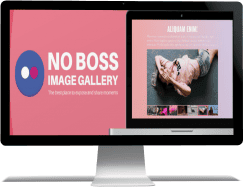
No Boss Image Gallery 4.0.0 is a Joomla module for displaying image collections with configurable navigation, slideshow and full-screen options. Galleries can use local images or connect to Flickr, while administrators control image scaling, thumbnails, arrows and captions. The module also supports touch navigation and can be embedded outside Joomla through iframe, jQuery or XHR methods.
Flickr integration allows a gallery to load photos by using the required user and account information instead of uploading every image to the Joomla server.
Images can keep their original proportions or be adjusted to fit the gallery area. Full-screen mode provides a larger viewer when visitors want to focus on the media.
Navigation can use thumbnails, arrows or touch gestures. Autoplay is available for slideshow-style galleries, with an adjustable interval between image changes.
Styles for arrows, thumbnails and captions can be changed to better match the site design. These presentation options are independent from the media source.
The source description also lists iframe, jQuery and XHR embedding methods for displaying the gallery outside the normal Joomla module context.
Info: https://www.nobossextensions.com/image-gallery/
Register and subscribe


