

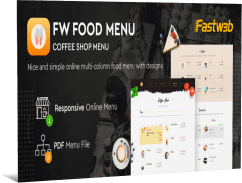
FW Food Menu Pro 6.0.1 is a Joomla component for creating online menus for restaurants, cafes, bars and similar food-service websites. Dishes and drinks can be organized into categories, displayed with or without images and arranged in one- or two-column layouts. The component supports multiple prices, discounts, portion information, calorie details, PDF menus and category navigation, allowing different types of menu information to be managed from Joomla.
Menu items can include a name, description, image, price and additional details such as portion size or calories. Categories help separate dishes and drinks into sections so visitors can move through a longer menu more easily.
Different layouts are available for full menus and category views, including versions with or without images. Two-column output can be used when the available page width allows more items to be shown side by side.
Multiple prices can be assigned to the same item, which is useful for different portion sizes or serving options. Promotional prices and labels such as a dish of the day or new item can also be displayed.
The Pro version includes a categories module and menu navigation for moving between sections on the same page. PDF menus can be offered alongside the web version, giving visitors an alternative format when a downloadable menu is needed.
Key features:
Adaptive layouts - menu looks comfortable on any device thanks to adaptive design.
PDF menus - the ability to upload and offer PDF menus to users.
Promotion of dishes - “dish of the day” mark, novelty icons and special offers.
Flexible customization:
Display Layouts - full menu, category without or with images.
Menu Categories - arbitrarily create and order food and drink categories.
Currency - customize price display with desired symbols and abbreviations.
Discounts - ability to display promotional prices in the list of dishes.
Additional features:
Categories module - output of categories in modular positions with individual settings.
Menu navigation - transitions and scrolling between sections on the same page.
Multi-pricing - different prices for portions or dish sizes.
Two-column layout - displaying the menu in a grid with two columns.
Menu item options - assign sections and customize the display for each item.
Visual and text options:
HTML descriptions - design dish descriptions using HTML.
Images - the ability to add photos of food and drinks.
Additional information - indication of portion sizes and calories.
Info: https://fastw3b.com/products/fw-food-menu
Download links
Register and subscribe


